Other pages
crYOLO configuration file
The config file is organized in the sections model, training and validation. This is how a typical configuration file looks like:
{
    "model": {
        "architecture": "PhosaurusNet",
        "input_size": 1024,
        "anchors": [
            220,
            220
        ],
        "max_box_per_image": 700,
        "filter": [
            0.1,
            "filtered_tmp/"
        ]
    },
    "train": {
        "train_image_folder": "train_image/",
        "train_annot_folder": "train_annot/",
        "train_times": 10,
        "pretrained_weights": "",
        "batch_size": 6,
        "learning_rate": 0.0001,
        "nb_epoch": 2,
        "object_scale": 5.0,
        "no_object_scale": 1.0,
        "coord_scale": 1.0,
        "class_scale": 1.0,
        "saved_weights_name": "out/mymodel.h5",
        "debug": true
    },
    "valid": {
        "valid_image_folder": "",
        "valid_annot_folder": "",
        "valid_times": 1
    },
    "other": {
        "log_path": "logs/"
    }
}
In the following you find a description of each entry.
Model section
architecture: The network used in the backend of crYOLO. Right we support “crYOLO”, “YOLO”, “PhosaurusNet”. Default and recommended is PhosaurusNet.input_size: This is the size to which your input image is rescaled before passed through the network (it is NOT the size of your micrograph!).anchors: Anchors in YOLO are kind of a priori knowledge. You should specifiy your box size here.max_box_per_image: Maximum number of particles in the image. Only for handling the memory. Keep the default of 700.overlap_patches: Optional and deprecated. Only needed when using patch mode. Specifies how much the patches overlap. In our lab, we always keep the default value.num_patches: Optional and Deprecated. If specified the patch mode will be used. A value of “2” means, that 2×2 patches will be used. With PhosaurusNet you typically don’t need it.filter: Optional. Specifies the absolute cut-off frequency for the low-pass filter and the corresponding output folder. CrYOLO will automatically filter the data intrain_image_folderandvalid_image_folderand save it into the output folder. It will automatically check if a image provided in the train_image_folder is already filtered and use it in case. Otherwise it will filter it. You can also use neural network based filtering.
Training section
train_image_folder: Path to the image folder containing the images to train on. This could either be a seperated folder containing ONLY your training data, but it could also be just the directory containing all of your images. CrYOLO will try to find the image based on annotation data you provided in train_annot_folder.train_annot_folder: Path to folder containing the your annotation files like box or star files. Based on the filename crYOLO will try to find the corresponding images in train_image_folder. It will search for image files, which containing the box filename.train_times: How often each image is presented to the network during one epoch. Default is 10 and should be kept until you have many training images.pretrained_weights: Path to h5 file that is used for initialization. Until you want to use weights from a previous dataset as initialization, the filename specified here should be same as saved_weights_name.batch_size: Specified the number of images crYOLO process in parallel during training. Strongly depending on the memory of your graphic card. 6 should be fine for GPUs with 8GB memory. You can increase in case you have more memory or decrease if you have memory problems. Bigger batches tend to improve convergence and even the final error.learning_rate: Defines the step size during training. Default should be kept.nb_epoch: Maximum number of epochs the network will train. I basically never reach this number, as crYOLO stops training if it recognize that the validation loss is not improving anymore.object_scale: Penality scaling factor for missing picking particles.no_object_scale: Penality scaling factor for picking background.coord_scale: Penality scaling factor for errors in estimating the correct position.class_scale: Irrelevant, as crYOLO only has the “class” “particle”.log_path: Path to folder. During training, crYOLO saves there some logs for visualization in tensorboard. Tensorboard is used to visualize curves for training and validation loss.saved_weights_name: Everytime the network improves in terms of validation loss, it will save the model into the file specified here.debug: If true, the network will provide several statistics during training.
Validation section
valid_image_folder: If not specified, crYOLO will simply select 20% of the training data for validation. However it is possible to specify to use specific images for validation. This should be the path to folder containing these files.valid_annot_folder: If not specified, crYOLO will simply select 20% of the training data for validation. However it is possible to specify to use specific images for validation. This should be the path to folder containing these validation box files.valid_times: How often each image is presented the network during validation. 1 should be kept.
crYOLO on sparsely labeled data
In the first preprint of crYOLO we wrote the following sentence without any comments:
Ideally, each micrograph should be picked to completion.
However, you don’t have to pick all particles in a micrograph to train crYOLO. Here I want to show how crYOLO performs with only sparsely labeled micrographs.
Toxin
I took our toxin dataset, which I’ve used to train crYOLO before. The training set comprises 14 images with 1586 particles (~113 particles per micrograph). An example is shown here:
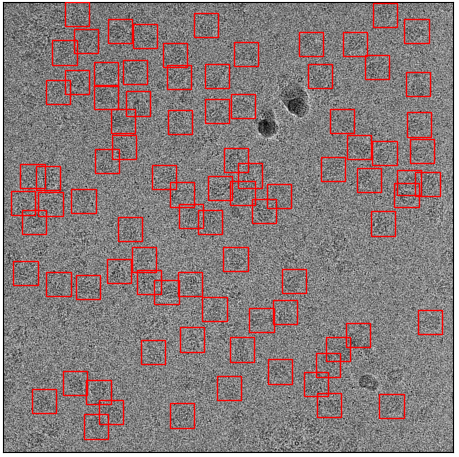
Training image with all particles labeled
I then removed randomly 80% of the particles (above) and used it for training (default settings as in the tutorial). The training set now consists of only 314 particles:
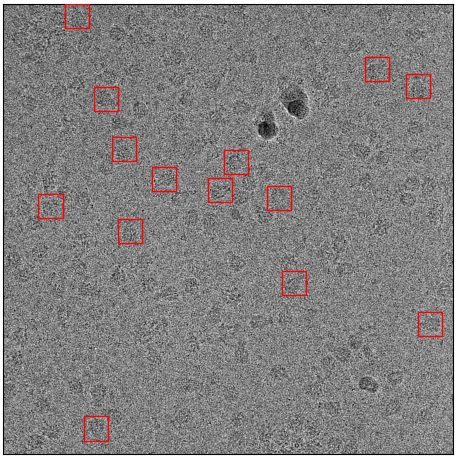
Sparsely labeled micrograph from the sparse training set
I now use the trained model to pick the whole dataset. The picking with the default threshold is quite dissatisfying, as it only picks ~65 particles per micrograph:
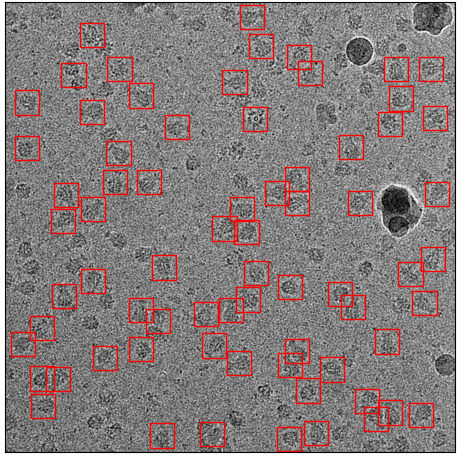
First example: Picked particles with default threshold 0.3
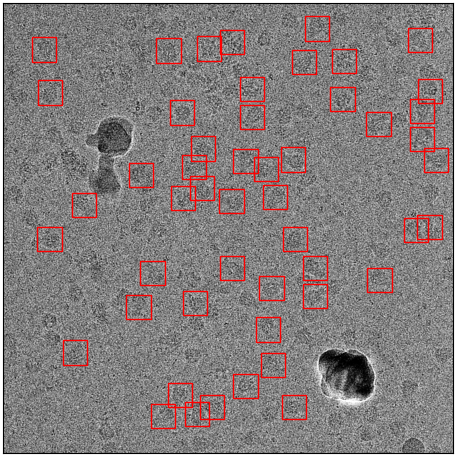
Second example: Picked particles with default threshold 0.3
However, if one uses the cbox files and the box manager, you can easily choose a different confidence threshold. With a threshold of 0.14 for example, you practically get all of your particles while at the same time excluding contamination:
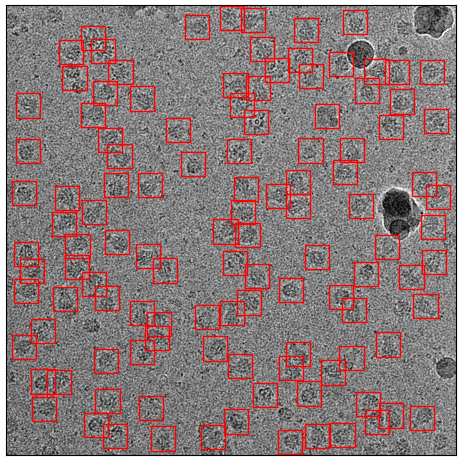
First example: Picked particles with a threshold of 0.14 found by using cbox files.
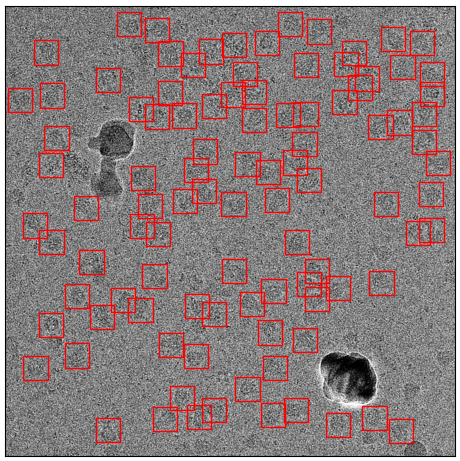
Second example: Picked particles with a threshold of 0.14 found by using cbox files.
Warning
The recall reported during training in such cases will be misleading, as it is calculated based on the default threshold of 0.3.
ATP Synthase
I did the same with ATP synthase. The orginal training set had 1723 particle from 91 micrographs. The sparsely labeled training dataset used the same training images but only with 334 particles labeled from 91 micrographs. Here are examples:
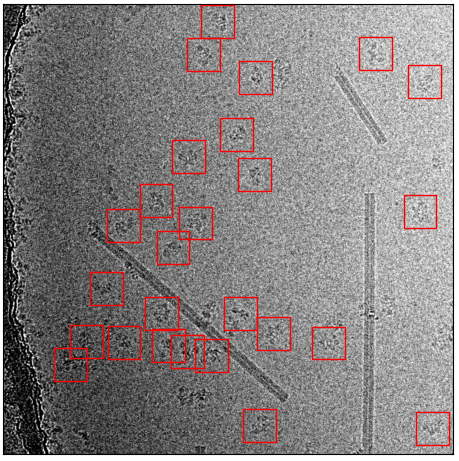
Original training set
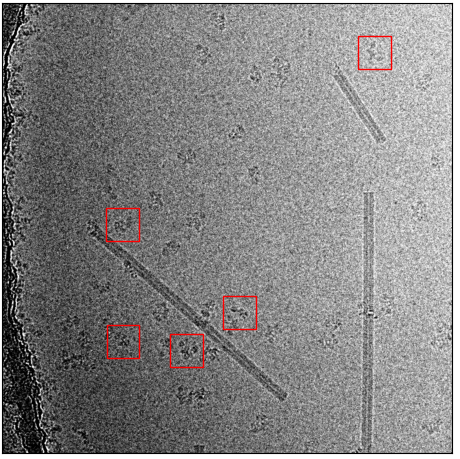
Sparsely picked training set
Now the comparision between picking with default and picking with an adjusted threshold:
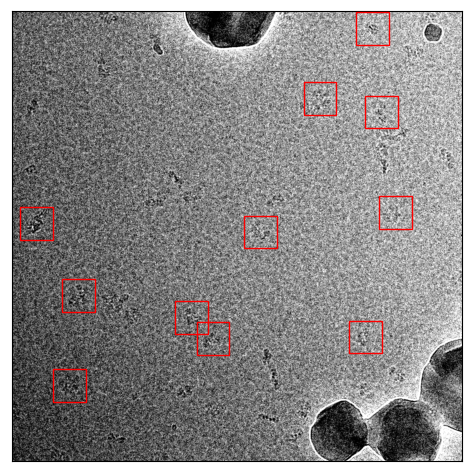
Picked with default threshold 0.3
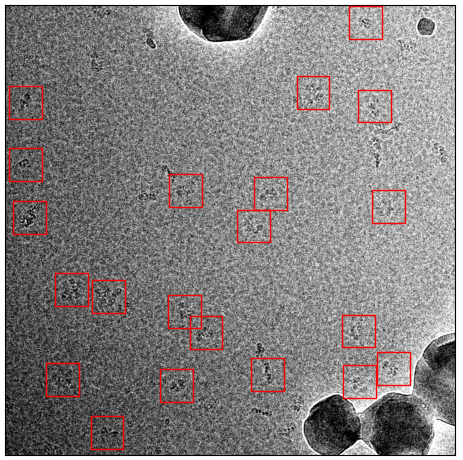
Picked with threshold 0.14
And another example:
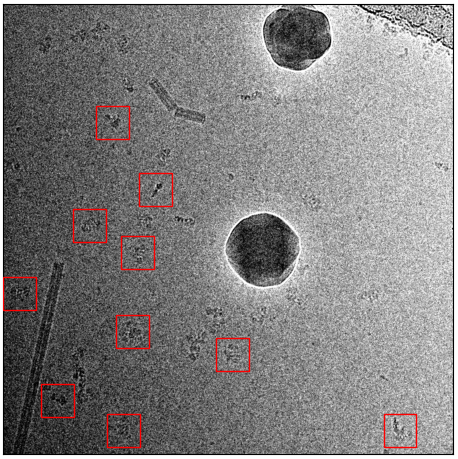
Picked with default threshold 0.3
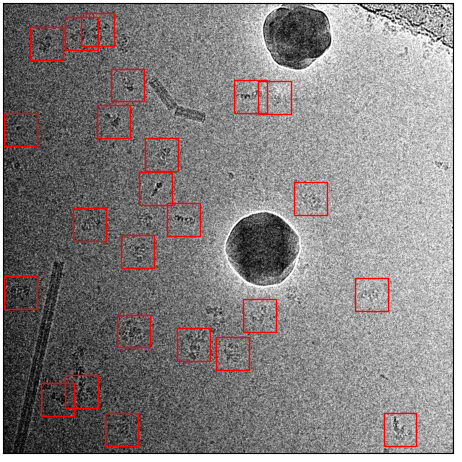
Picked with threshold 0.14
Again, it still picks basically everything while avoiding contamination.
TRPC4
The last example that I’ve choosen is TRPC4, as it contains much more contamination. The original training set comprises 32 images with 3038 particles (~94 particles / image):
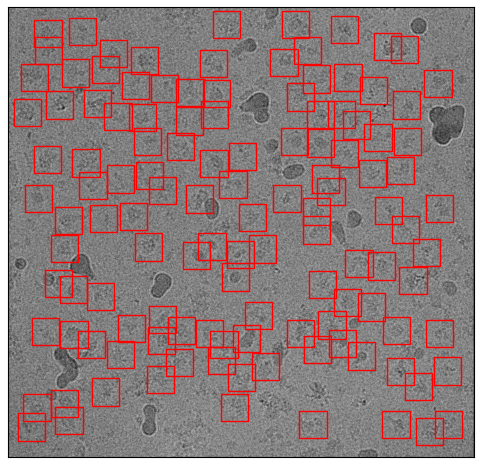
Example micrograph from the original training set.
Again, the same procedure as with toxin and ATP synthase. I removed 80% of particles randomly:
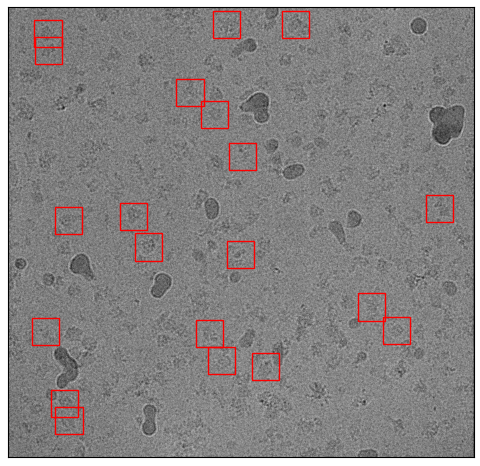
Example micrograph from the sparsely labeled training set.
I trained the model, and picked again. Here are the results for picking with the default threshold:
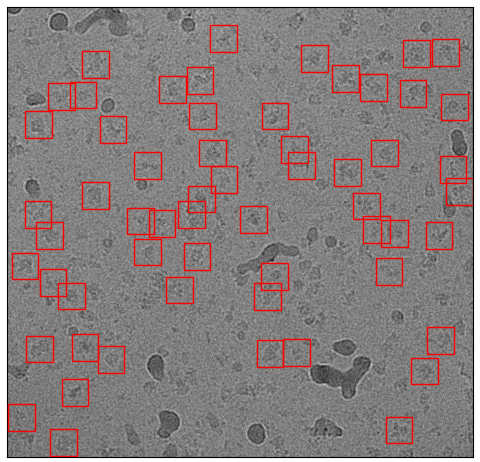
Picking result with default threshold 0.3
It missed a lot, but picked far more that one would expect from the sparsely labeled training data. The missing particles appearing when you reduce the threshold to 0.14:
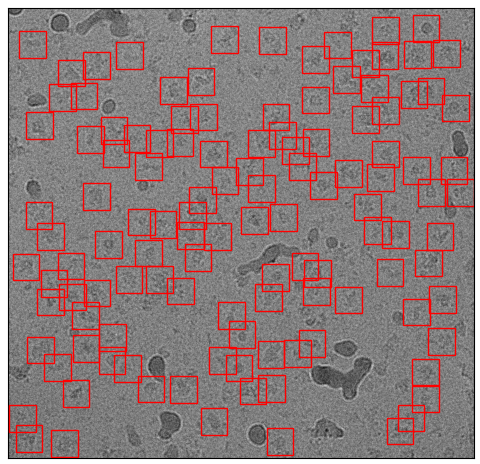
Picking result with threshold 0.14
Particles picked, contamination skipped, mission accomplished :-)
Train your own general model
Training a model for a specific dataset is very easy with crYOLO. However, you might have multiple data collections of the same particle with different settings, a different camera or another microscope. A model trained on the data of one data collection, might not perform very good on a dataset from another data collection.
However, you can easily train a crYOLO model that generalize well on data recorded under multiple conditions. To achieve this, all you have to do is to merge training data of multiple datasets. The result will be a model that can be applied to a new dataset from a new data collection without additional training.
Here is our recommendation how to organize the training data. Instead of copying your images and box files directly into train_images / train_annot, you can copy them into subfolders. One for each data collection:
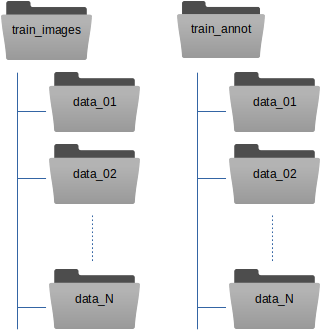
The train_image_folder and train_annot_folder parameters in the crYOLO configuration file (e.g. config.json) still point to the root directories train_images and train_annot respectively. The parameter anchors should be set roughly to the average of all particle box sizes. Other than that, the training of a general model does not differ from training a model from scratch.
Hint
When running the training of a general model, we always use the --warm_restarts. Moreover, a general model with multiple datasets should train for a longer time. If we train our general model on 63 datasets we use the option --early 300.